ProhostAI
Marketplace IATarifsApprendreBlogPrestataires
Se connecter
Réserver une démoCommencer gratuitement
LearnGetting StartedConnecting Your ListingsConnecting your Guesty account
Retour

Connecting your Guesty account

How to sync your listings from Guesty to ProhostAI

beginner5 minMis à jour le 2025-11-01

To connect Guesty to ProhostAI, go to Listings → Add listings → Add connection → Guesty in ProhostAI, then create an API token from the ProhostAI integration page in your Guesty account and paste it back into ProhostAI. Your listings import automatically and the AI begins learning your properties. Setup takes about 5 minutes.

To connect your Guesty account, in ProhostAI, go to Listings => Add listings => Add connection => Guesty.

Then go to app.guesty.com/integrations/partners/prohostai in your Guesty account to create an API token.
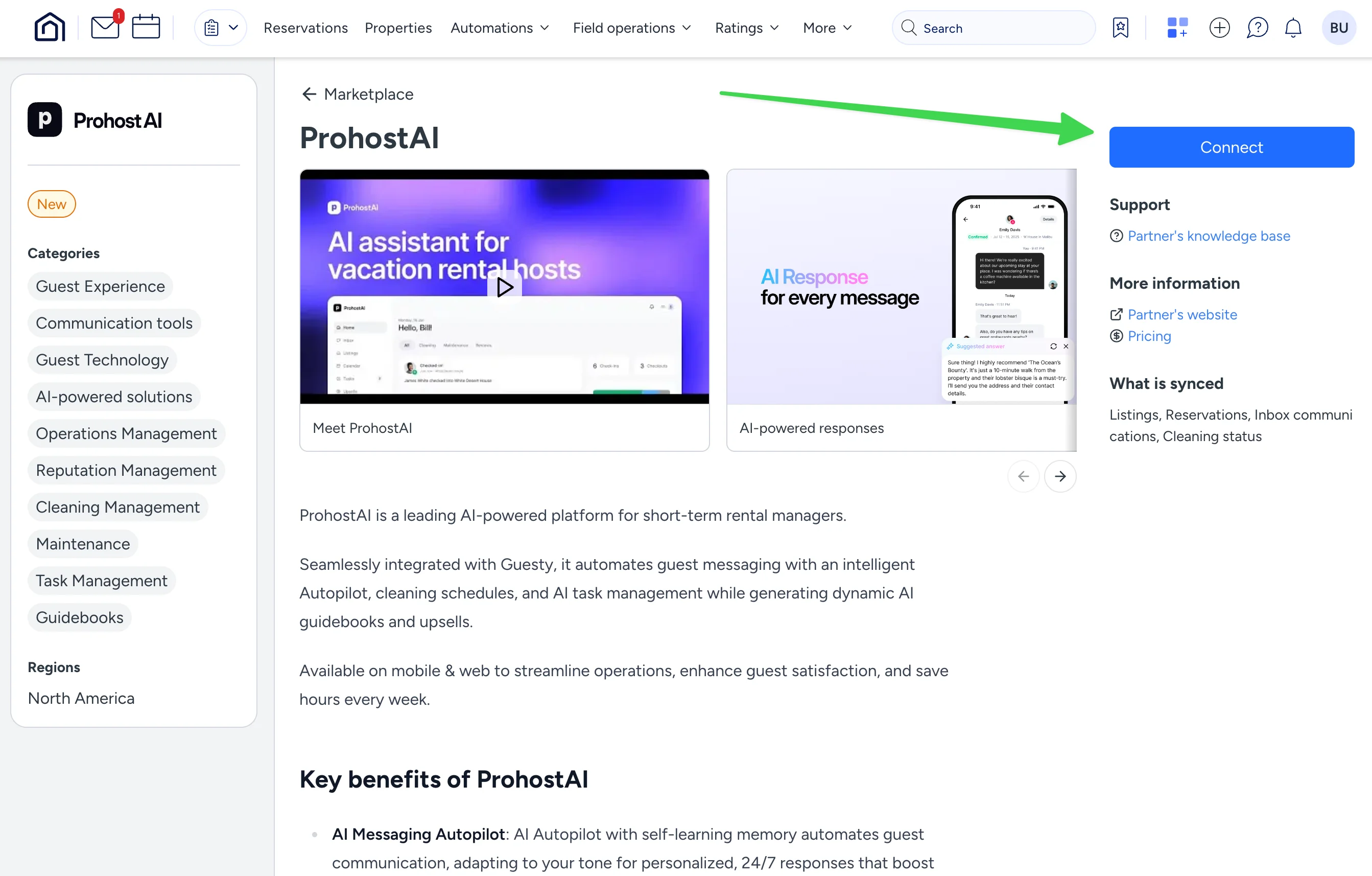
Copy the API token.
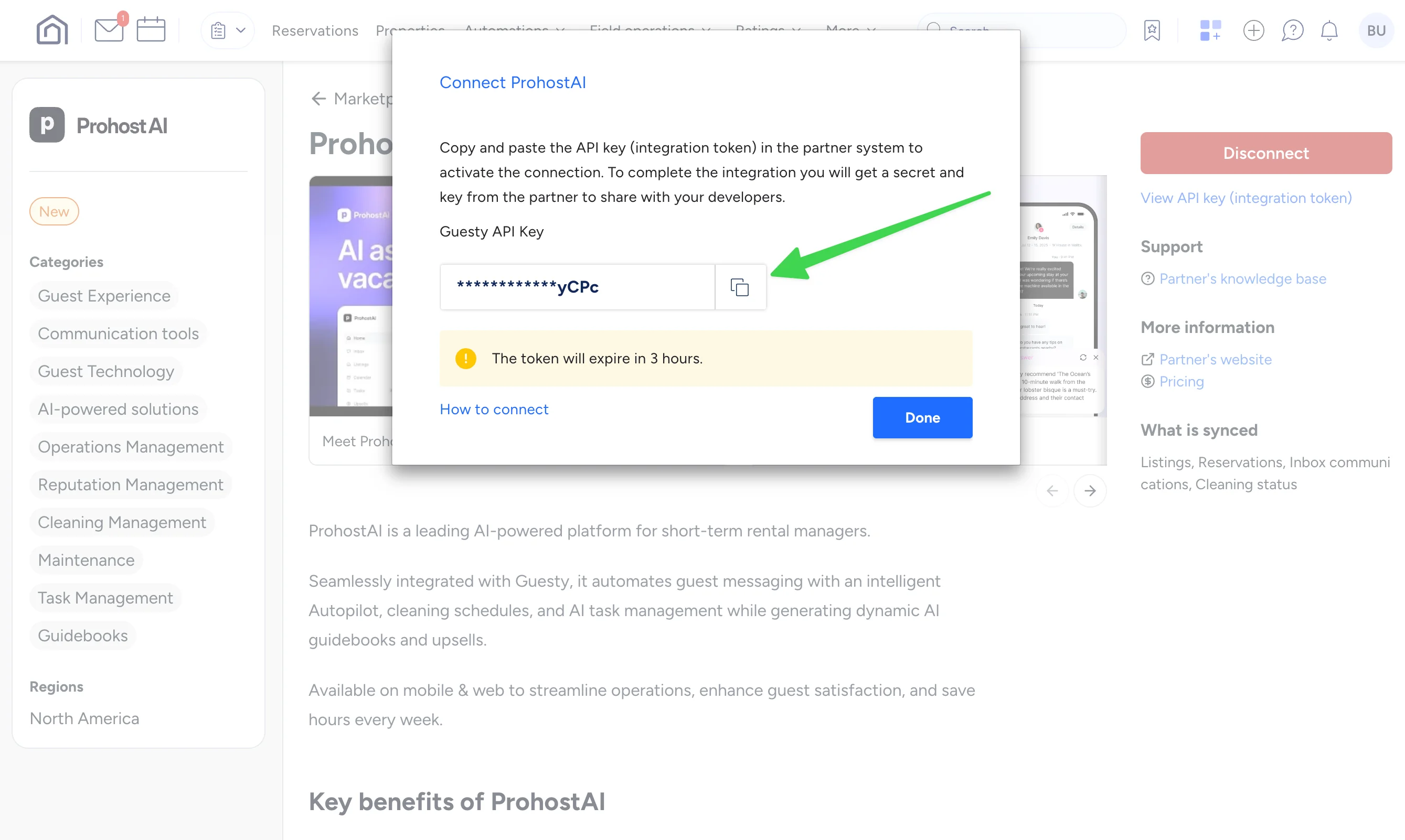
Enter your API key into ProhostAI.

In ProhostAI, after entering the API Key, hit "Connect". Your listings will be imported. Depending on your listing count, it might take several minutes to finish.

You are all set! You will start seeing AI memories populated in your account as the AI reads your past messages and learns about your listings and hosting rules.

Besoin d'aide ?

Notre équipe est là pour répondre à vos questions et vous aider à réussir.

Retour à Connecting Your Listings
Parcourir tous les guides

🏠 7 500+ propriétés · 💬 260K+ messages · 🌍 80+ pays · ⭐ 4,9/5

ProhostAI

Produit

  • Tarifs
  • Enterprise
  • App iOS ↗
  • App Android ↗
  • Contact
  • À propos
  • Carrières ↗

Ressources

  • Guide produit
  • Blog
  • Demandes de fonctionnalités ↗
  • Prestataires
  • Discord ↗
  • Affiliés ↗
  • Conditions
  • Confidentialité
  • Consentement SMS

Comparer

  • Conduit AI
  • Hostbuddy AI
  • Besty AI
  • Turno
  • Hospitable AI
  • Boostly
  • Aeve AI
  • Nowistay
  • Boom
  • Hostex
  • RentalReady
  • Breezeway

Réseaux sociaux

  • Linkedin ↗
  • X ↗
  • Instagram ↗
  • YouTube ↗

Copyright © 2026 Prohost AI, Inc. Tous droits réservés.