
AI confidence levels
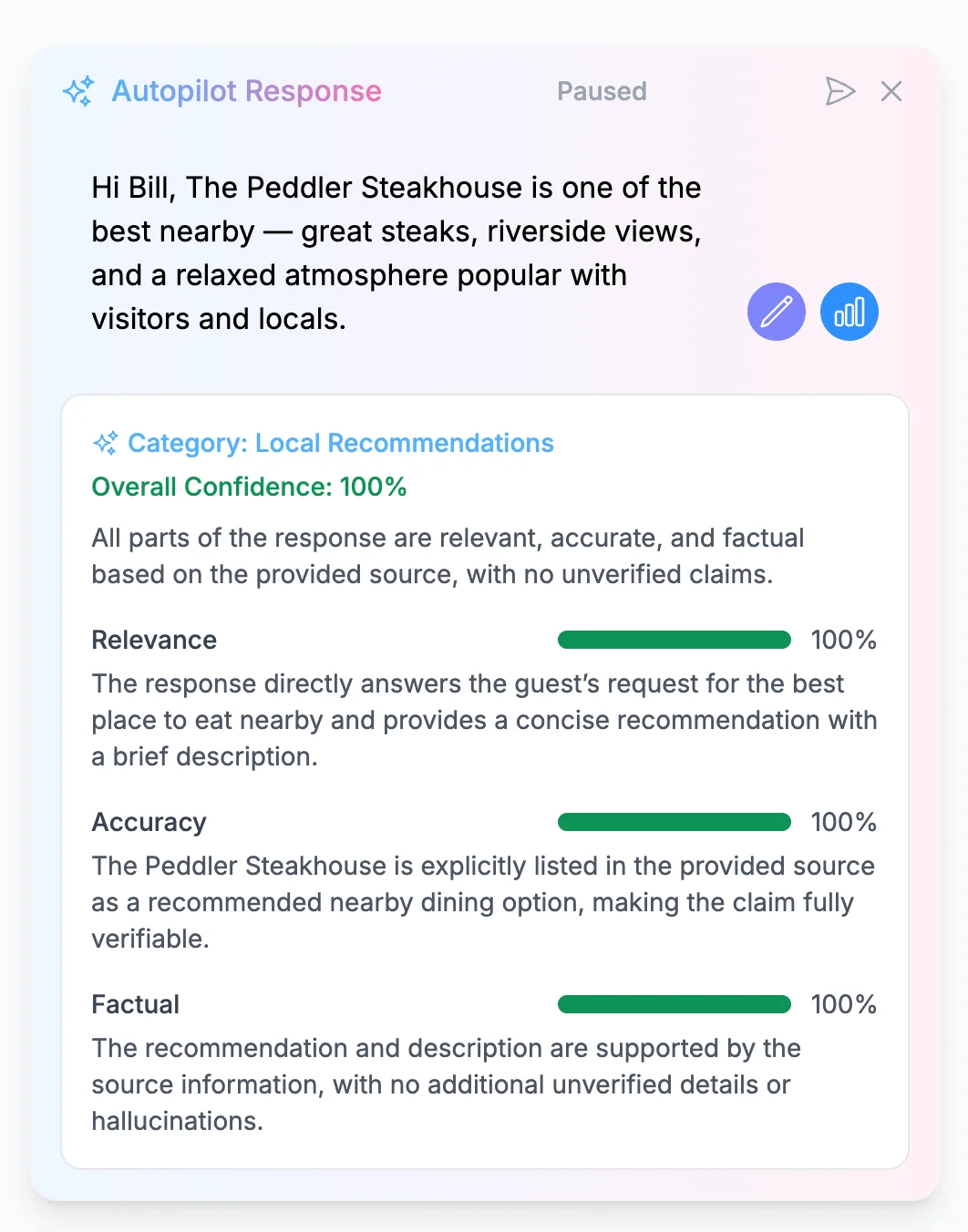
The AI has a confidence level for each message it writes. Click on the 3 bars on bottom right of an Autopilot message to see the AI's confidence in that message.
Autopilot Escalations
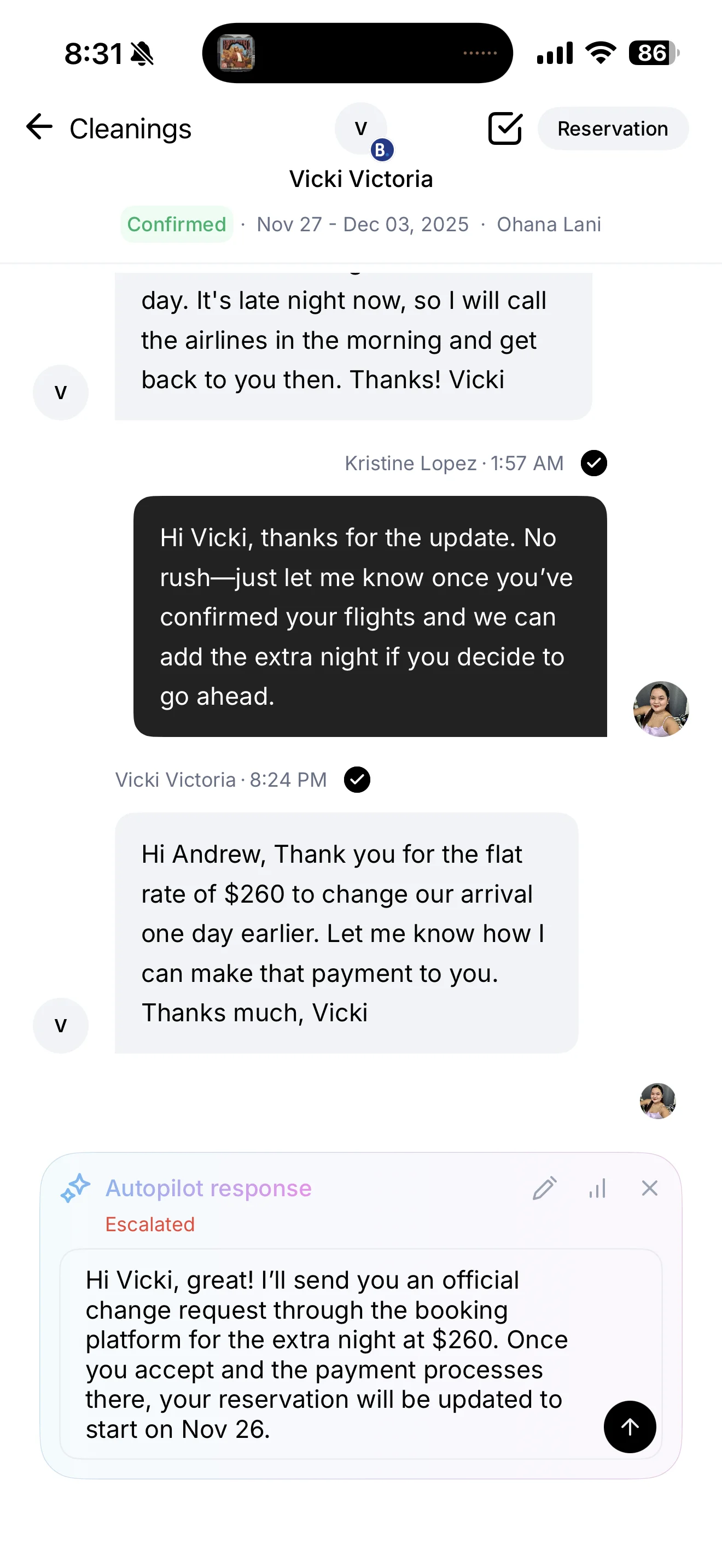
If Autopilot is not confident enough in its answer, it will escalate the message to you instead of responding. You will receive a push notification from the ProhostAI mobile app and your browser. Escalations look like this.
Automatic send limits
Autopilot also holds a reply when a conversation or your account reaches an hourly automatic-send limit. Two limits apply:
- 10 automatic sends per hour in a single conversation
- 150 automatic sends per hour across your whole account
Both look at the previous 60 minutes on a rolling basis, not at clock hours, so they clear on their own as older sends age out of the window.
Only messages that are actually on their way to the guest count toward these limits. When a guest sends another message while a reply is still waiting in its send delay, Autopilot discards the pending reply and drafts a fresh one that covers both messages — those discarded drafts don't count, so a guest sending a quick burst of messages won't push a conversation toward the limit.
These are safety limits against runaway sending loops, not a cap on normal use. For scale: the busiest hour on any account to date is well under a third of the account limit, and accounts running 100+ listings peak around 25–35 automatic sends per hour, because guest replies arrive spread across the hour rather than all at once. Neither limit is configurable in settings.
When a limit is reached, nothing is lost — the reply Autopilot wrote is held in your inbox as a draft you can review and send with one tap, exactly like a confidence escalation. When the conversation limit is reached you also get a notification. The account limit is deliberately silent, so a busy hour doesn't produce one alert per conversation.
✅ Success: With Autopilot properly configured, you can focus on growing your business while AI handles routine guest communications. Remember to check in periodically and provide feedback to help the AI continuously improve.