ProhostAI
PricingAboutLearnBlogVendors
Log In
Book a demoStart free
LearnCleaningsCreating Cleaning Checklists
Back

Creating Cleaning Checklists

Create cleaning checklists to ensure quality control

beginner5 minUpdated 2026-05-03

Overview

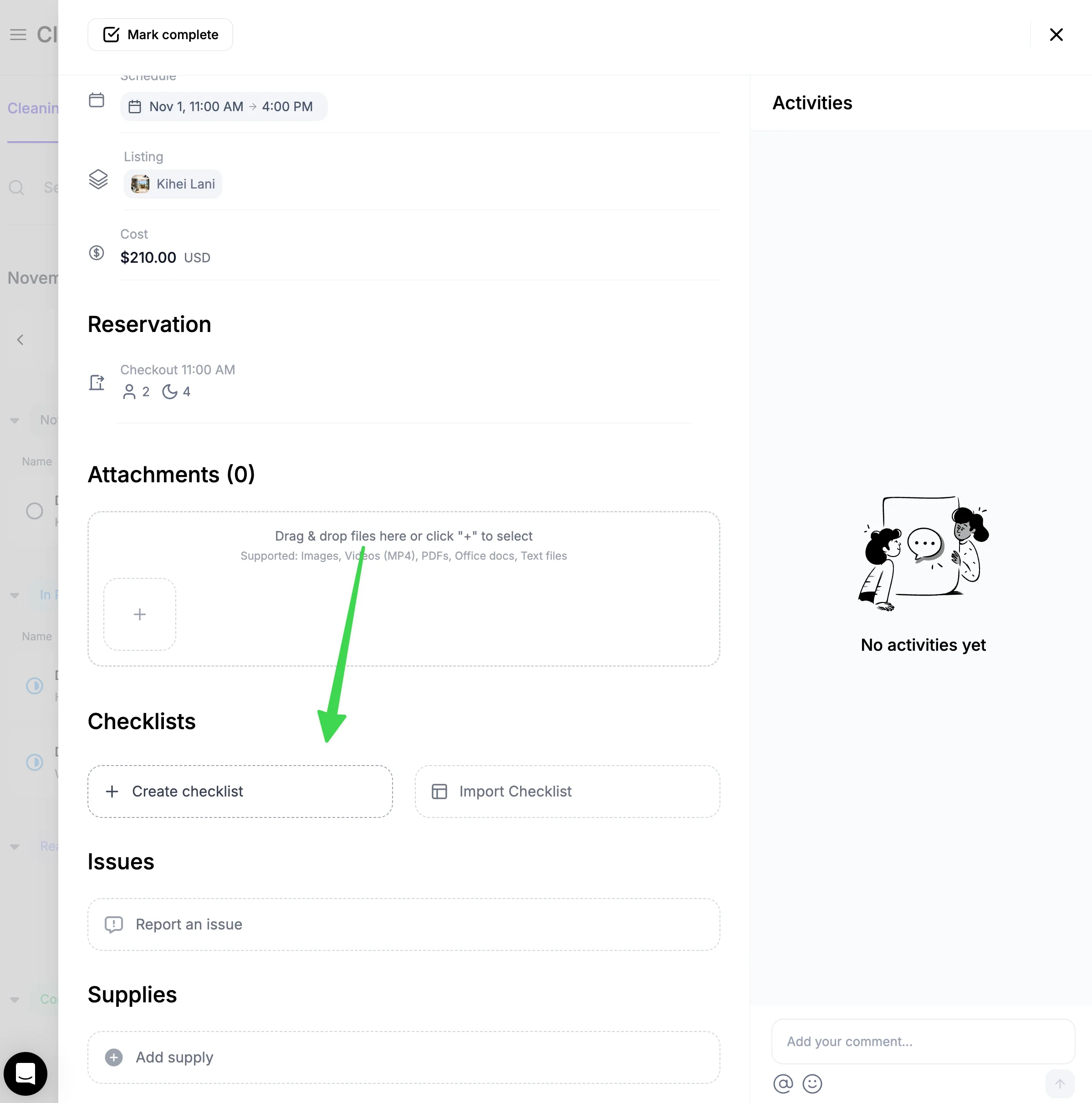
You can create checklists on both the website and the mobile app. To create a checklist, go inside a cleaning and click "Create checklist". Once created, the checklist will show up for every clean for that property.
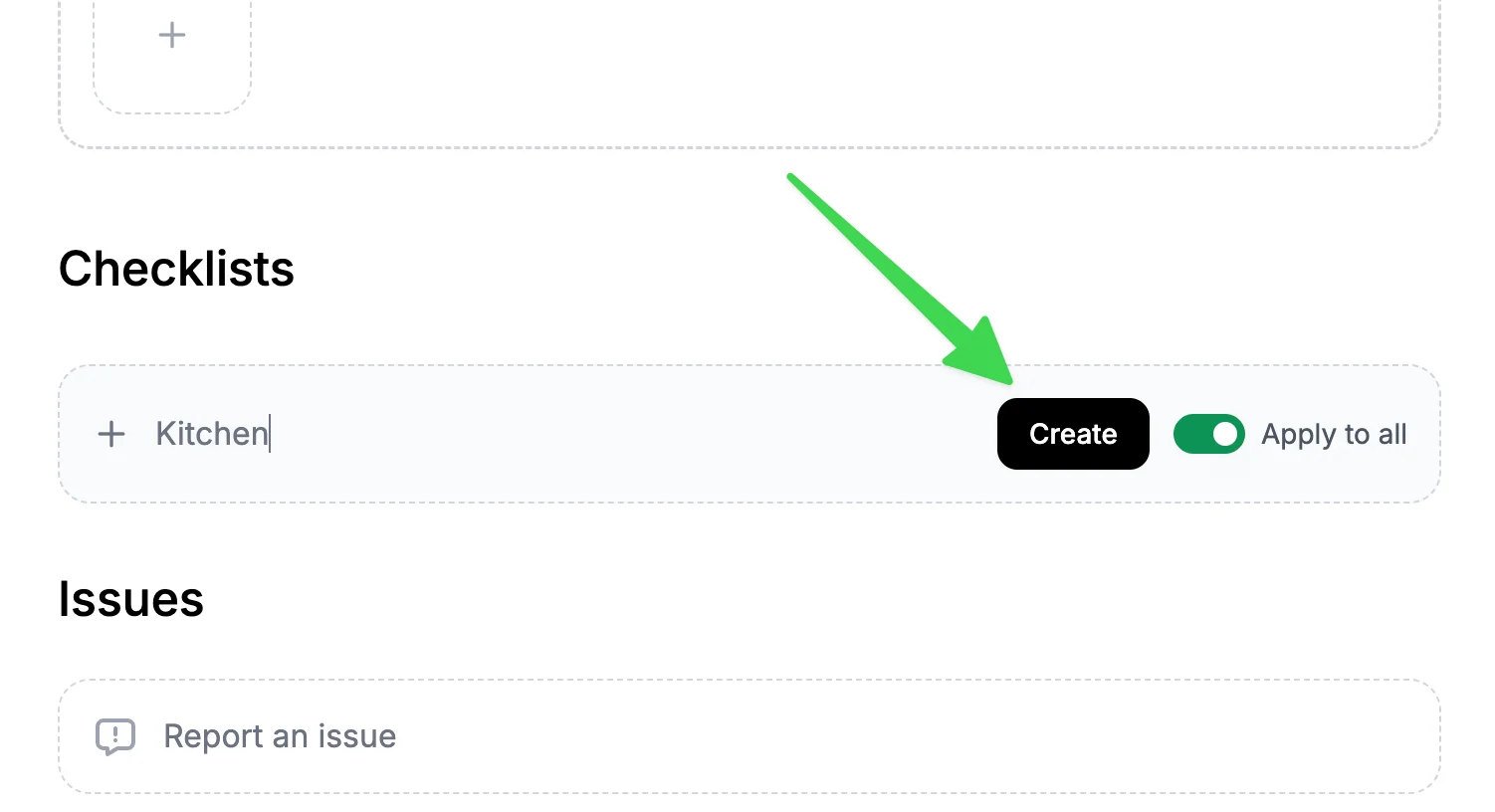
Then enter a checklist name and hit "Create"
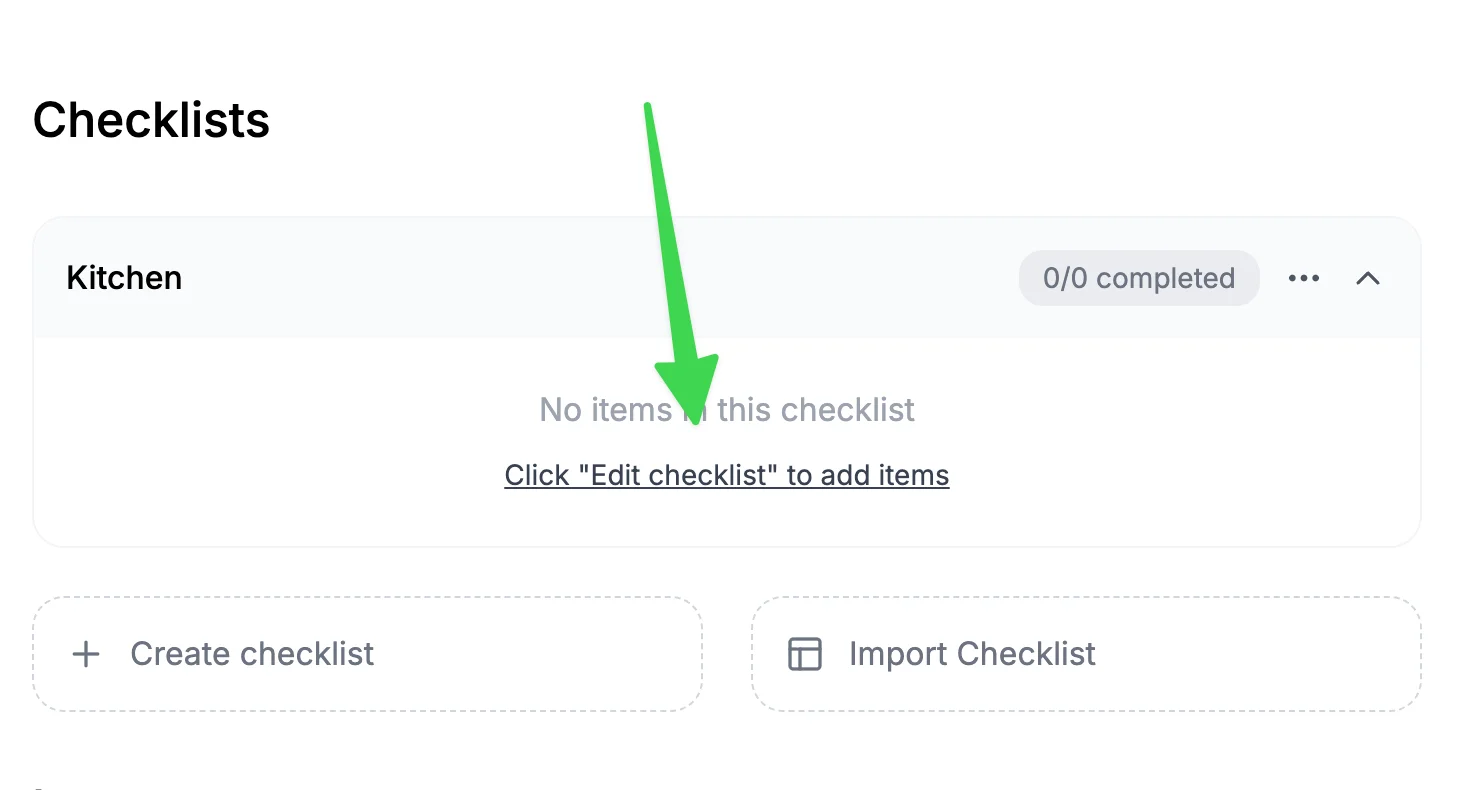
Once a checklist is created, click "Edit".
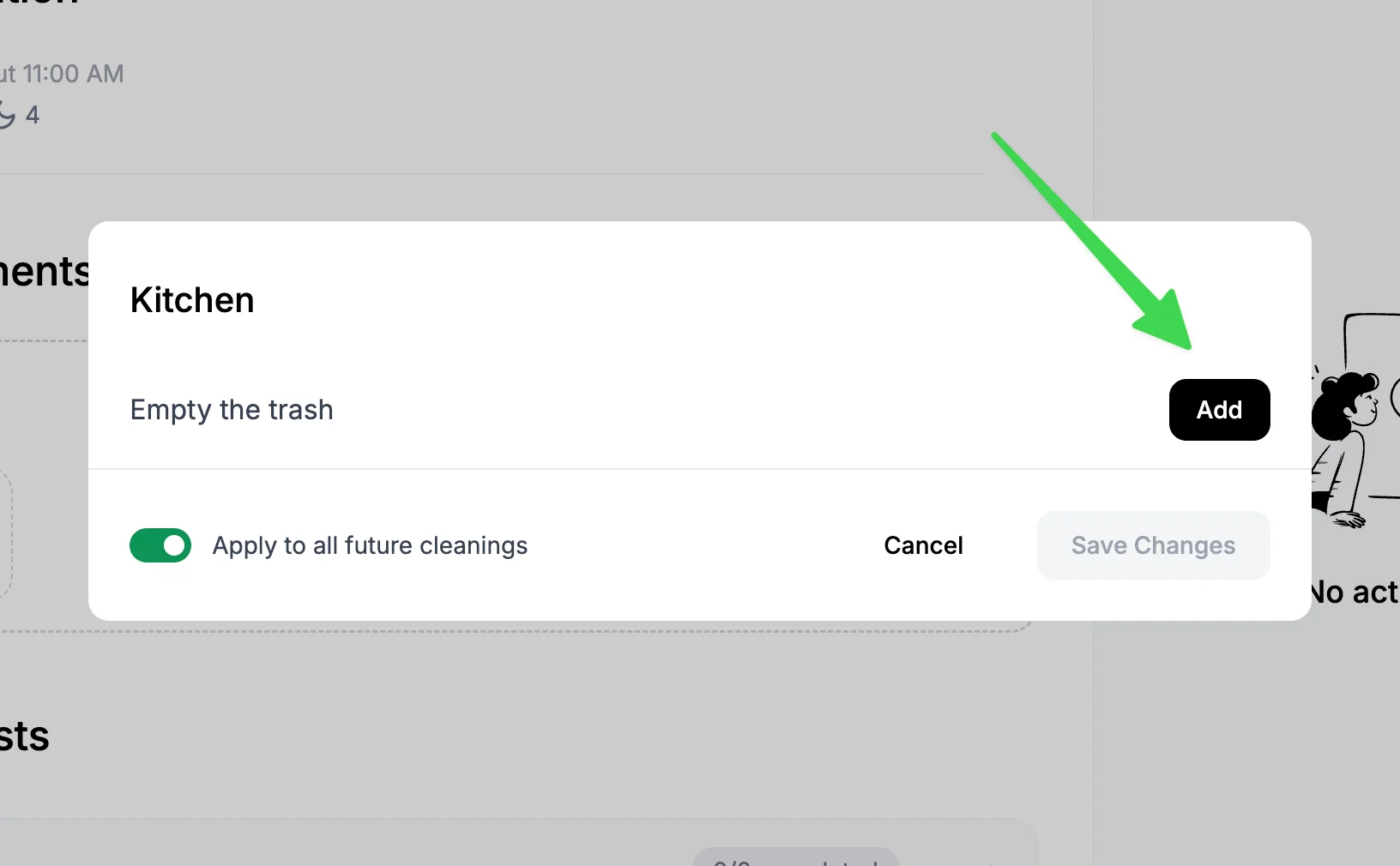
Enter a checklist item and hit "Add".
Reusing checklists across properties

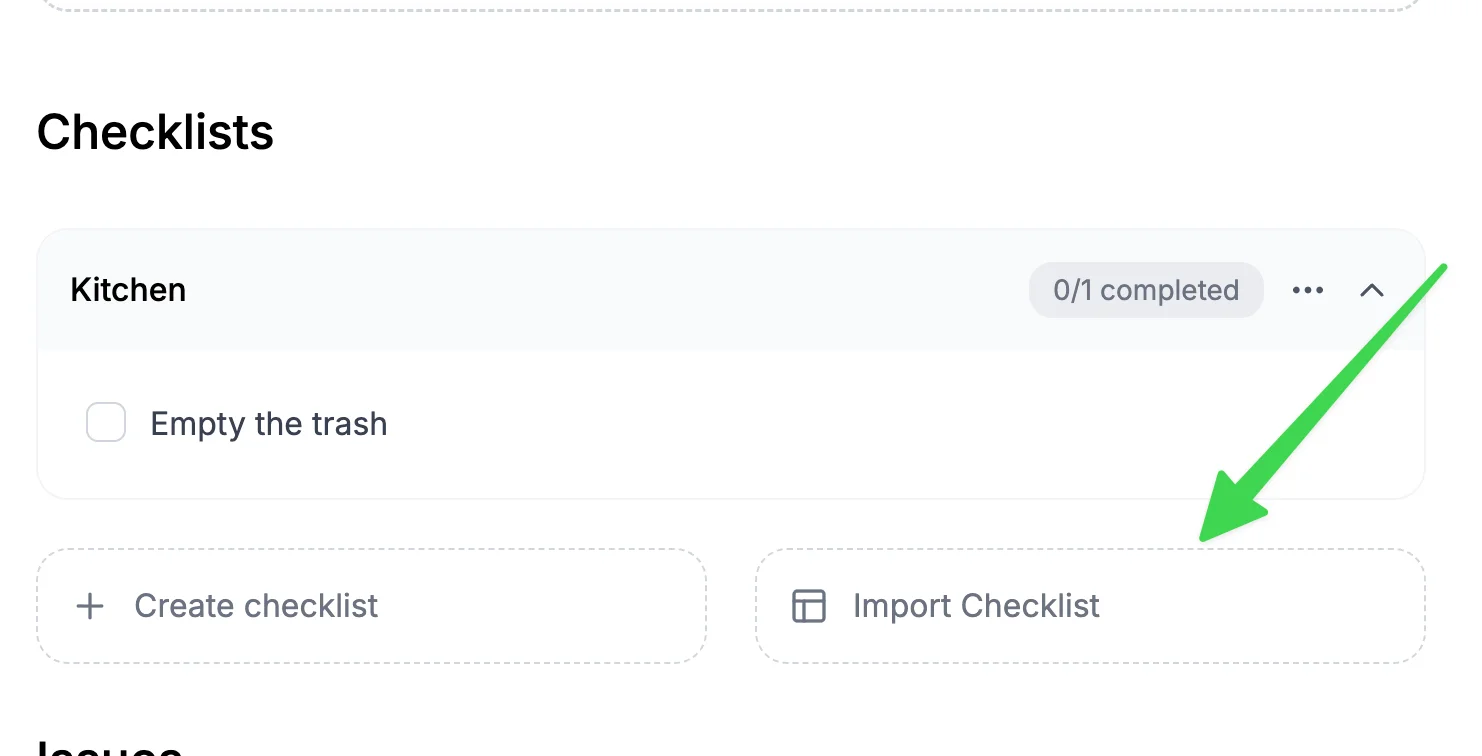
Once a checklist is created, you can re-use it for your other properties. Go into a cleaning for another property and then hit "Import checklist"
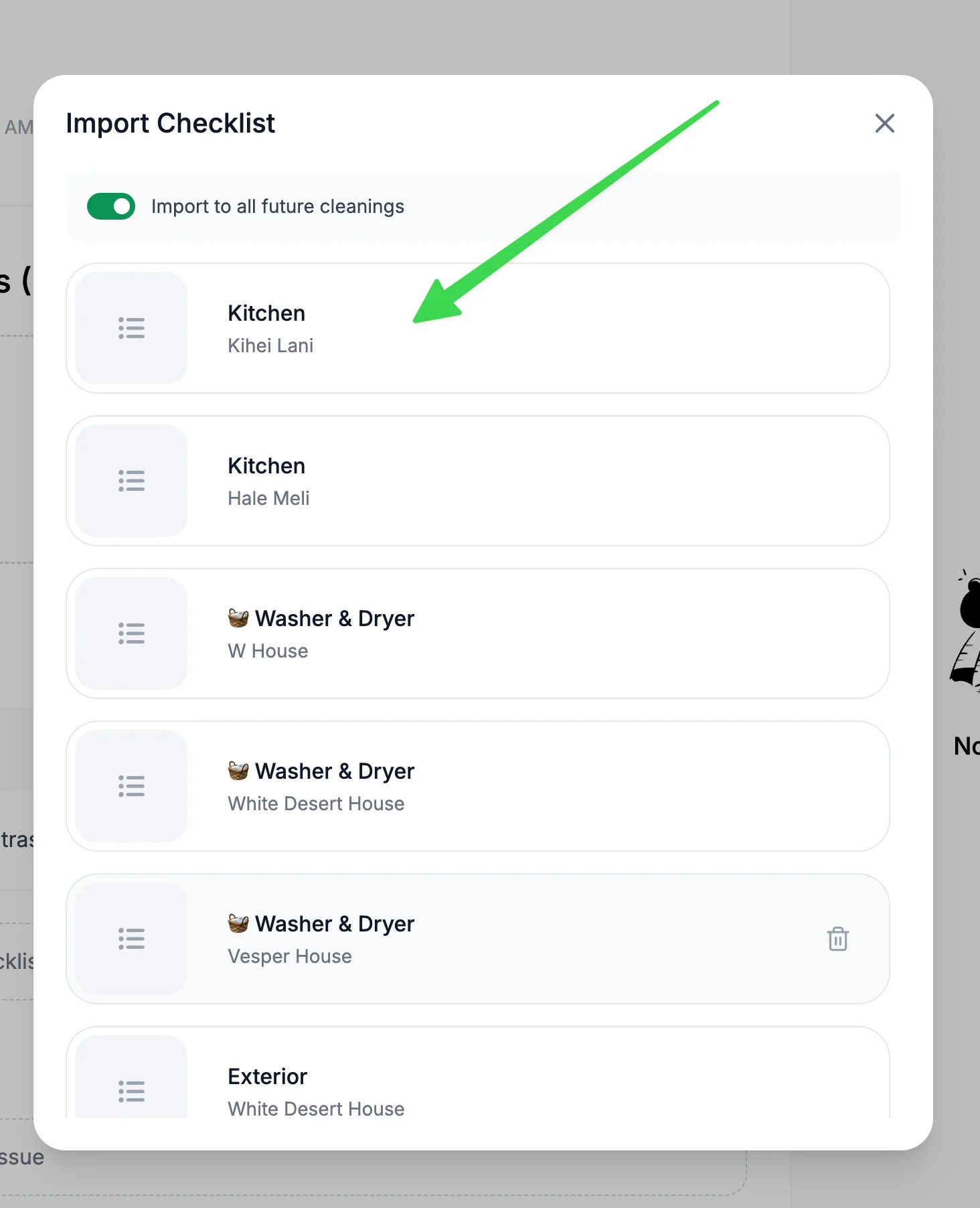
You will see checklists created for other properties. Click on the one you want to import and it will be automatically reused for the current property cleaning you are viewing.
Need help?

Our team is here to answer your questions and help you succeed.

Back to Cleanings
Browse all guides

๐Ÿ  7,500+ properties ยท ๐Ÿ’ฌ 260K+ messages ยท ๐ŸŒ 80+ countries ยท โญ 4.9/5

ProhostAI

Product

  • Pricing
  • Enterprise
  • iOS App โ†—
  • Android App โ†—
  • Contact
  • Careers โ†—

Resources

  • Product Guide
  • Blog
  • Feature Requests โ†—
  • Vendors
  • Discord โ†—
  • Affiliates โ†—
  • Terms
  • Privacy
  • SMS Consent

Compare

  • Conduit AI
  • Hostbuddy AI
  • Besty AI
  • Lodgify
  • Turno
  • Hospitable AI
  • Boostly
  • Aeve AI
  • Nowistay
  • Boom
  • Hostex
  • RentalReady
  • Breezeway

Social

  • Linkedin โ†—
  • X โ†—
  • Instagram โ†—
  • YouTube โ†—

Copyright ยฉ 2026 Prohost AI, Inc. All rights reserved.