
To connect Airbnb to ProhostAI, log in to Airbnb in your browser, then in ProhostAI go to Listings → Add listings → Add connection → Airbnb and follow the official Airbnb connection flow. Your listings and past messages import automatically, and the AI begins building memory about your properties. Setup takes about 5 minutes.
To connect your Airbnb account, make sure you are logged into your Airbnb account in your browser.
Then in ProhostAI, go to Listings => Add listings => Add connection => Airbnb.
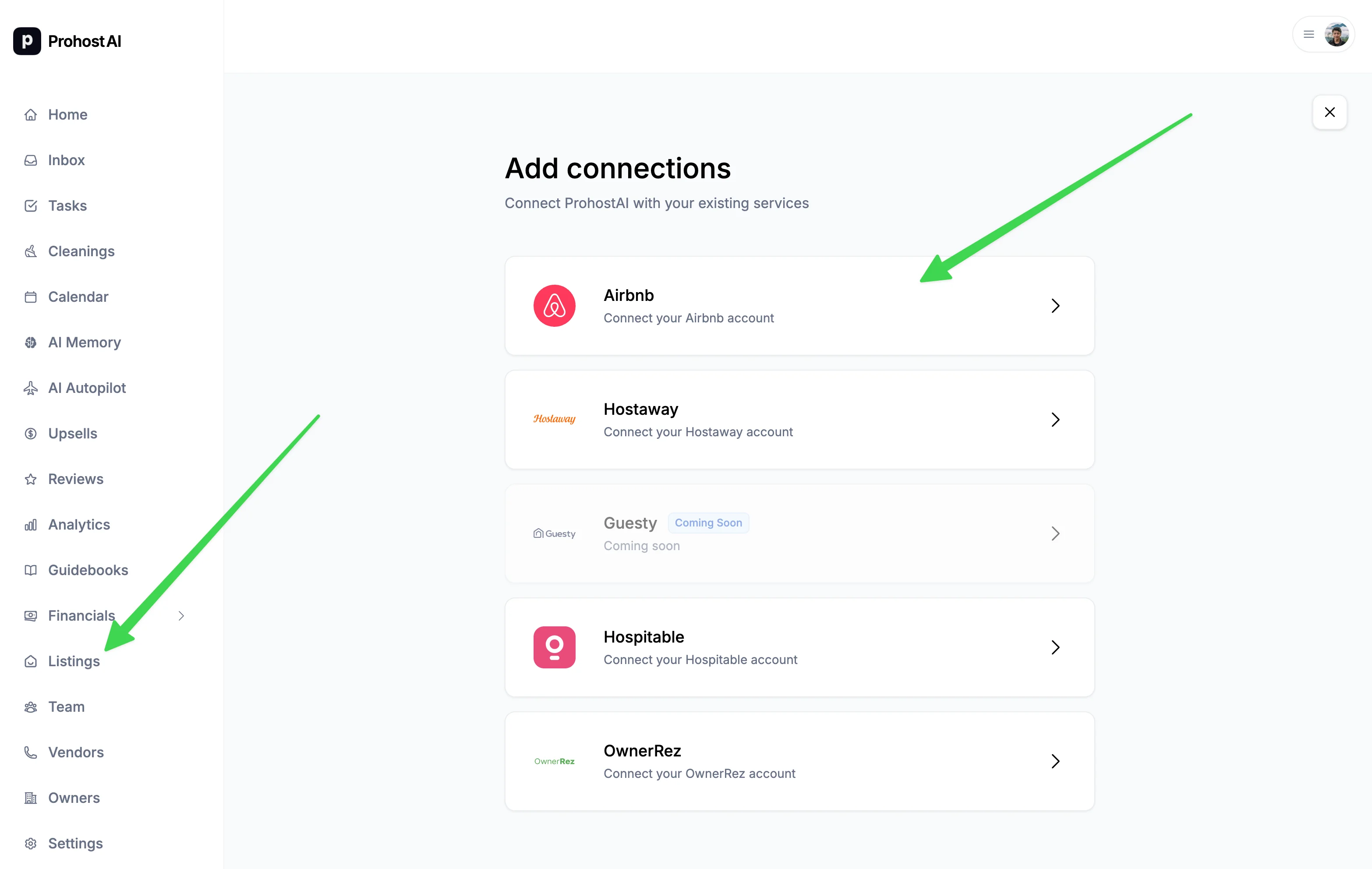
Your listings will be imported. Depending on your listing count, it might take several minutes to finish.
You are all set! You will start seeing AI memories populated in your account as the AI reads your past messages and learns about your listings and hosting rules.
What syncs automatically
- ✅ Listings - Property details, photos, amenities
- ✅ Reservations - Bookings, check-in/out dates, guest info
- ✅ Messages - All guest conversations in real-time
- ✅ Reviews - Guest reviews and ratings
- ✅ Calendar - Availability and blocked dates
Troubleshooting
Connection failed?
- Ensure you're logged into Airbnb as a host (not guest). We require the account to be either a listing Owner or full Co-host.
- Check you have Owner or full Cohost access to the listings
Missing listings?
- Only active listings are imported
- Delisted or archived properties won't sync
- Use Import Listings again to add new properties
Multiple Airbnb accounts
You can connect multiple Airbnb accounts:
- Connect first account as above
- Repeat process for additional accounts
- Each account's listings appear separately
- Manage all from one ProhostAI dashboard
✅ Once connected, everything stays in sync automatically. No manual importing needed!