ProhostAI
Bảng giáGiới thiệuHọc hỏiBlogNhà cung cấp
Đăng nhập
Đặt lịch demoBắt đầu miễn phí
LearnGetting StartedConnecting Your ListingsConnecting your Guesty account
Quay lại

Connecting your Guesty account

How to sync your listings from Guesty to ProhostAI

beginner5 minCập nhật 2025-11-01

To connect Guesty to ProhostAI, go to Listings → Add listings → Add connection → Guesty in ProhostAI, then create an API token from the ProhostAI integration page in your Guesty account and paste it back into ProhostAI. Your listings import automatically and the AI begins learning your properties. Setup takes about 5 minutes.

To connect your Guesty account, in ProhostAI, go to Listings => Add listings => Add connection => Guesty.

Then go to app.guesty.com/integrations/partners/prohostai in your Guesty account to create an API token.
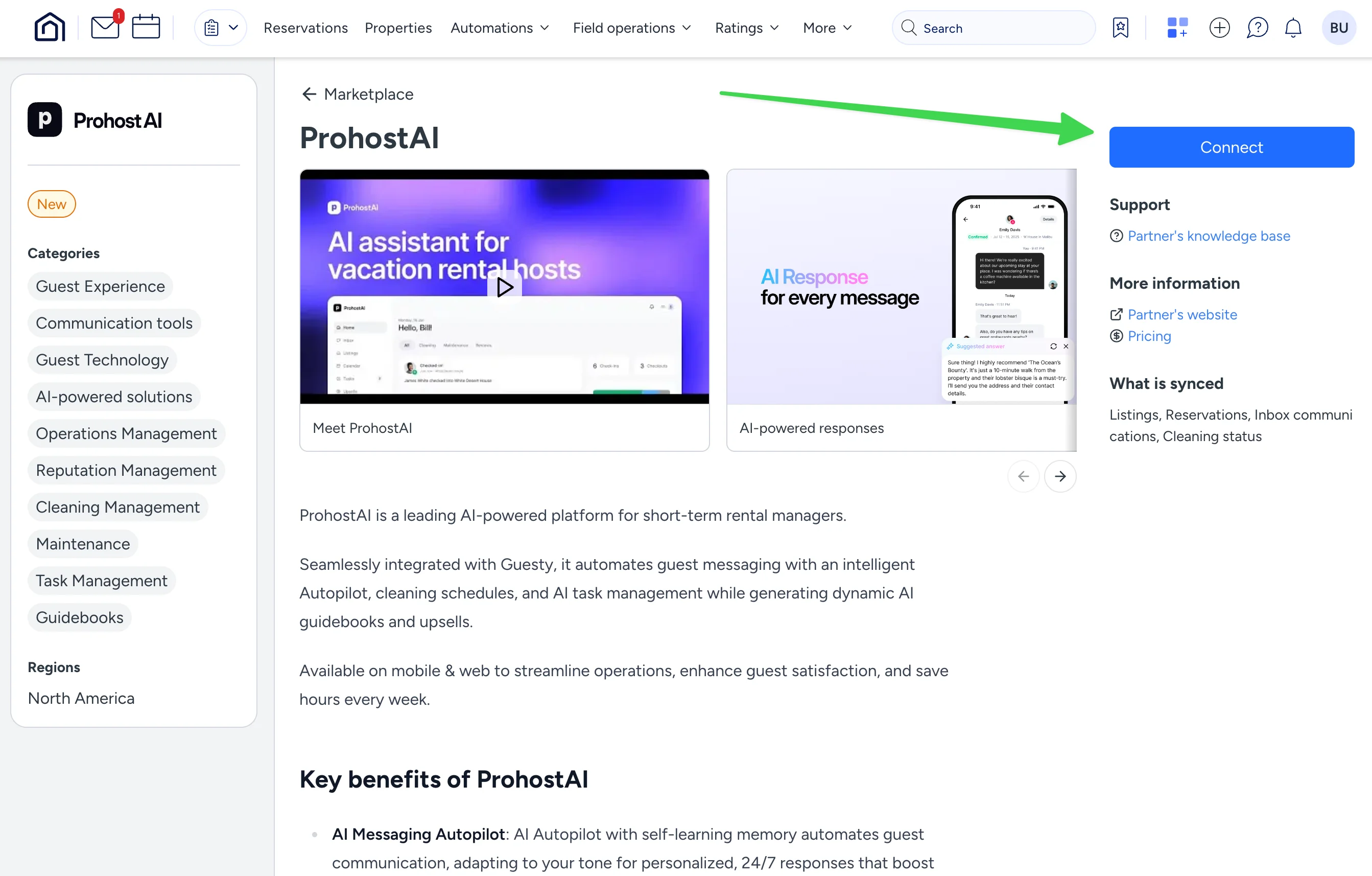
Copy the API token.
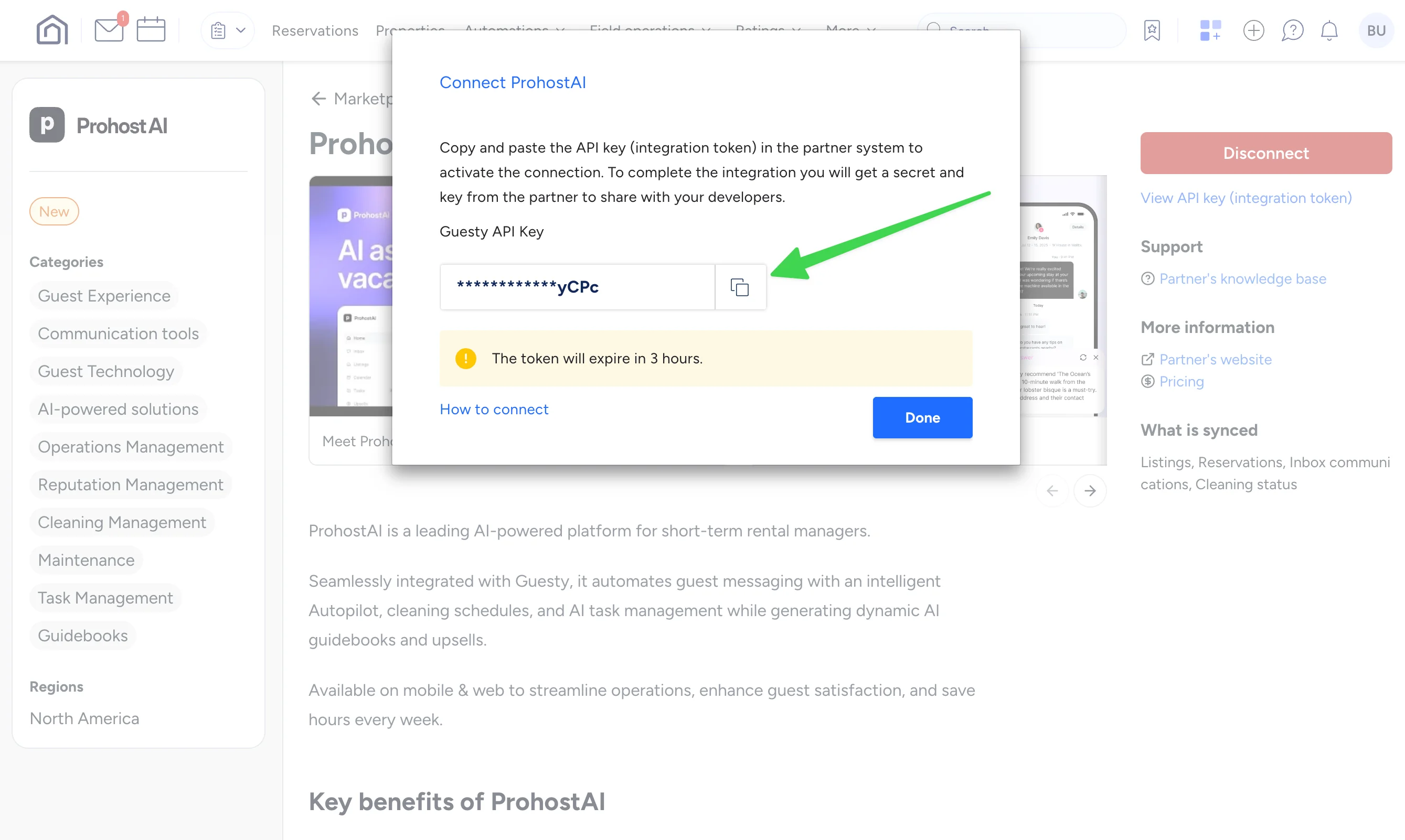
Enter your API key into ProhostAI.

In ProhostAI, after entering the API Key, hit "Connect". Your listings will be imported. Depending on your listing count, it might take several minutes to finish.

You are all set! You will start seeing AI memories populated in your account as the AI reads your past messages and learns about your listings and hosting rules.

Cần trợ giúp?

Đội ngũ của chúng tôi luôn sẵn sàng giải đáp và giúp bạn thành công.

Quay lại Connecting Your Listings
Duyệt tất cả hướng dẫn

🏠 Hơn 7.500 bất động sản · 💬 Hơn 260K tin nhắn · 🌍 Hơn 80 quốc gia · ⭐ 4.9/5

ProhostAI

Sản phẩm

  • Bảng giá
  • Doanh nghiệp lớn
  • Ứng dụng iOS ↗
  • Ứng dụng Android ↗
  • Liên hệ
  • Tuyển dụng ↗

Tài nguyên

  • Hướng dẫn sản phẩm
  • Blog
  • Đề xuất tính năng ↗
  • Nhà cung cấp
  • Discord ↗
  • Đối tác tiếp thị ↗
  • Điều khoản
  • Quyền riêng tư
  • Đồng ý nhận SMS

So sánh

  • Conduit AI
  • Hostbuddy AI
  • Besty AI
  • Lodgify
  • Turno
  • Hospitable AI
  • Boostly
  • Aeve AI
  • Nowistay
  • Boom
  • Hostex
  • RentalReady
  • Breezeway

Mạng xã hội

  • Linkedin ↗
  • X ↗
  • Instagram ↗
  • YouTube ↗

Bản quyền © 2026 Prohost AI, Inc. Bảo lưu mọi quyền.