ProhostAI
PreçosSobreAprenderBlogFornecedores
Entrar
Agendar uma demoComece grátis
LearnTasks & MaintenanceRecurring tasks
Voltar

Recurring tasks

Automatically create recurring tasks on a daily, weekly, monthly, or yearly cadence

beginner4 minAtualizado em 2026-05-03

Overview

Recurring tasks are templates that automatically create a fresh task on a schedule — daily, weekly, monthly, or yearly. Use them for predictable maintenance like quarterly HVAC checks, monthly smoke alarm tests, or weekly pool inspections.
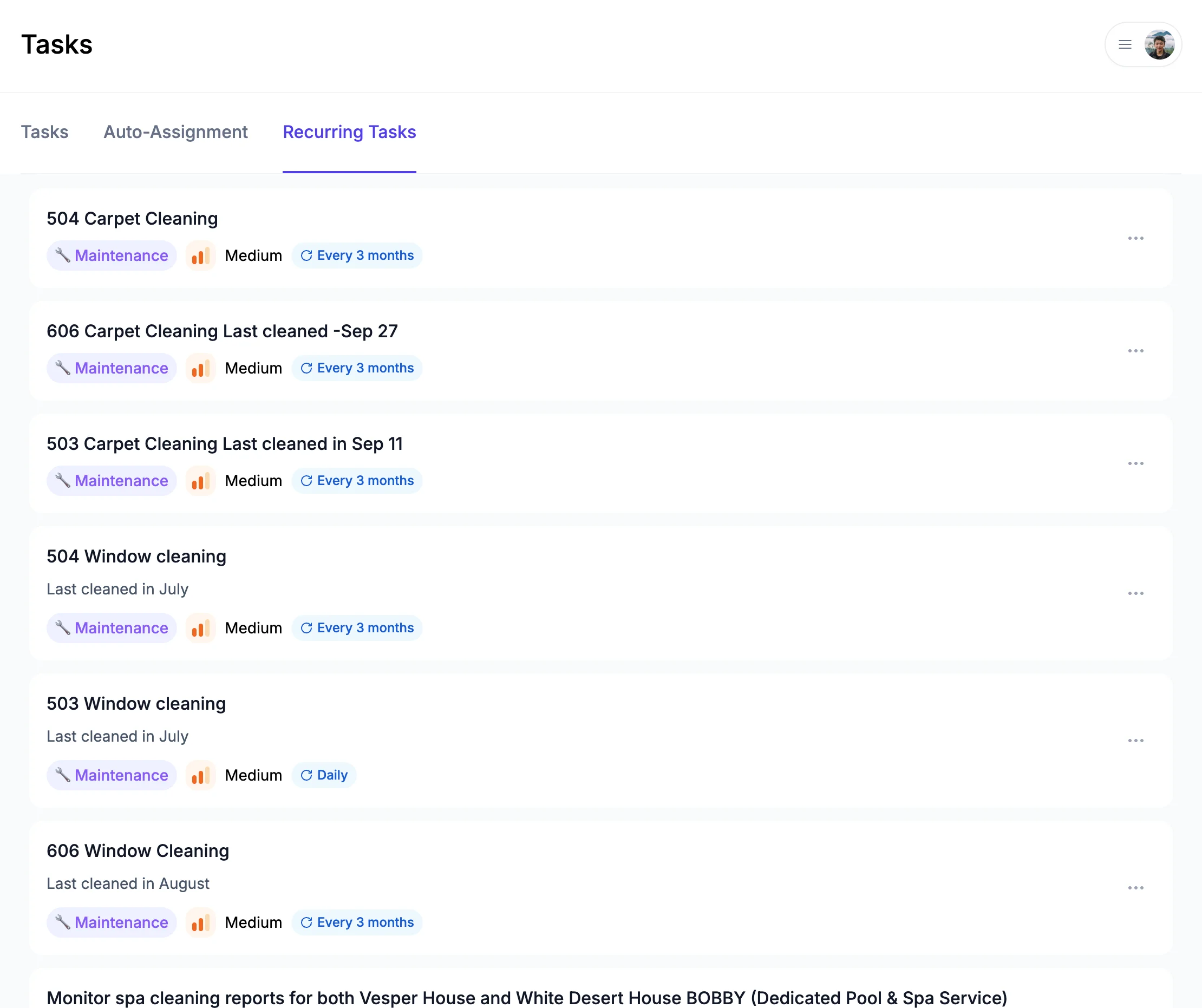
Creating a recurring task

Open Tasks → Recurring and click + New Recurring Task. Fill in:

  • Title and description — copied to every task that's created from this template
  • Property — which listing(s) the task applies to
  • Category and priority — pre-selected on each generated task
  • Assignee — auto-assigned to a teammate when the task is created
  • Cadence — Daily, Weekly, Monthly, or Yearly
  • Start date — first occurrence

The next task is generated when the previous one's due date arrives, so your inbox isn't flooded with future-dated tasks.

What's next?

  • Triggered Tasks - Create tasks automatically on check-in or check-out
  • AI-Generated Tasks - Auto-create tasks from messages and reviews

Precisa de ajuda?

Nossa equipe está aqui para responder suas perguntas e ajudar você a ter sucesso.

Voltar para Tasks & Maintenance
Explorar todos os guias

🏠 7.500+ propriedades · 💬 260K+ mensagens · 🌍 80+ países · ⭐ 4,9/5

ProhostAI

Produto

  • Preços
  • Enterprise
  • App iOS ↗
  • App Android ↗
  • Contato
  • Carreiras ↗

Recursos

  • Guia do Produto
  • Blog
  • Solicitar Funcionalidades ↗
  • Fornecedores
  • Discord ↗
  • Afiliados ↗
  • Termos
  • Privacidade
  • Consentimento SMS

Comparar

  • Conduit AI
  • Hostbuddy AI
  • Besty AI
  • Lodgify
  • Turno
  • Hospitable AI
  • Boostly
  • Aeve AI
  • Nowistay
  • Boom
  • Hostex
  • RentalReady
  • Breezeway

Redes sociais

  • LinkedIn ↗
  • X ↗
  • Instagram ↗
  • YouTube ↗

Copyright © 2026 Prohost AI, Inc. Todos os direitos reservados.